
What Causes Tech Neck in Kids?
Tech neck doesn’t happen overnight. It’s caused by everyday habits that seem harmless, but add up over time.

Why Understanding the Cause Matters
If your child is starting to slouch, complain about neck discomfort, or spend long periods looking down at a screen, you might be wondering what’s causing it.
Tech neck isn’t caused by one single action. It develops from repeated habits, especially how devices are used day after day.
Understanding the cause is the first step toward preventing long-term posture issues.

The Core Issue: Looking Down at Screens
At its core, tech neck is caused by one simple but repeated movement:
Looking down for extended periods of time
When a child tilts their head forward:
- The neck supports more weight than it’s designed for
- Muscles become strained
- The spine shifts out of alignment
This position is common during tablet and phone use, especially when devices are placed too low.
7 Common Habits That Cause Tech Neck

1. Using Tablets on the Lap
This is one of the biggest contributors.
When a tablet sits on a child’s lap, they must look down to see the screen. This creates a steep neck angle and sustained strain.

2. Slouching on the Couch or Bed
Soft surfaces don’t support posture.
Kids often:
- Sink into cushions
- Round their shoulders
- Tilt their heads forward
This combination increases pressure on the neck and upper back.

3. Screens Positioned Below Eye Level
Most devices are designed for portability, not posture.
If a screen is below eye level, a child has no choice but to look down.

4. Long, Uninterrupted Screen Time
Even good posture can break down over time.
Without breaks:
- Muscles fatigue
- Posture collapses
- Strain builds gradually

5. Lack of Movement
Children need movement to reset their posture.
When screen time replaces physical activity:
- Muscles weaken
- Flexibility decreases
- Poor posture becomes more likely

6. Devices Used in Multiple Positions
Kids rarely sit in one consistent position.
They may:
- Lie on their stomach
- Sit sideways
- Lean forward
Frequent repositioning, especially into poor posture, adds to strain.

7. No Ergonomic Setup
Most homes are not set up with posture in mind.
Without tools that support proper positioning:
- Screens stay low
- Posture is inconsistent
- Habits become ingrained
Why Tech Neck Develops Faster in Children
Children are more vulnerable to tech neck than adults because:
- Their muscles are still developing
- Their posture habits are still forming
- Their bodies adapt quickly to repeated positions
This means poor posture can become a default pattern much faster.
The upside is that early intervention can also reverse these patterns more easily.

Small Habits, Big Impact
None of these habits seem harmful on their own.
But combined, and repeated daily, they create a consistent pattern of strain.
For example:
- A child uses a tablet on their lap
- Sits on a couch without support
- Stays in that position for long periods
Over time, this leads to:
- Muscle imbalance
- Postural changes
- Discomfort
The issue isn’t one moment, it’s repetition.
How to Tell If These Habits Are Taking a Toll
You may start to notice:
- Your child always looks down at their screen
- Slouching becomes their natural sitting position
- Complaints of neck or shoulder discomfort
- Frequent shifting during screen use
- Fatigue after using devices
These are early indicators that posture habits are becoming a problem.
The Misconception About Screen Time
Many parents assume that reducing screen time will solve the problem.
While balance is important, the real issue is:
How screens are used, not just how long
A child can still develop tech neck with limited screen time if they consistently use devices in poor positions.
The most effective way to address tech neck is to change the environment.
When a screen is positioned correctly:
- The head stays upright
- The spine stays aligned
- Strain is reduced
Instead of relying on reminders, you make good posture the natural choice.

Simple Changes That Reduce the Risk
Start with small, practical adjustments:
- Raise screens to eye level
- Encourage sitting in supportive positions
- Limit long, uninterrupted sessions
- Build movement breaks into routines
Even small improvements in setup can reduce strain significantly.
A Better Way to Prevent Tech Neck
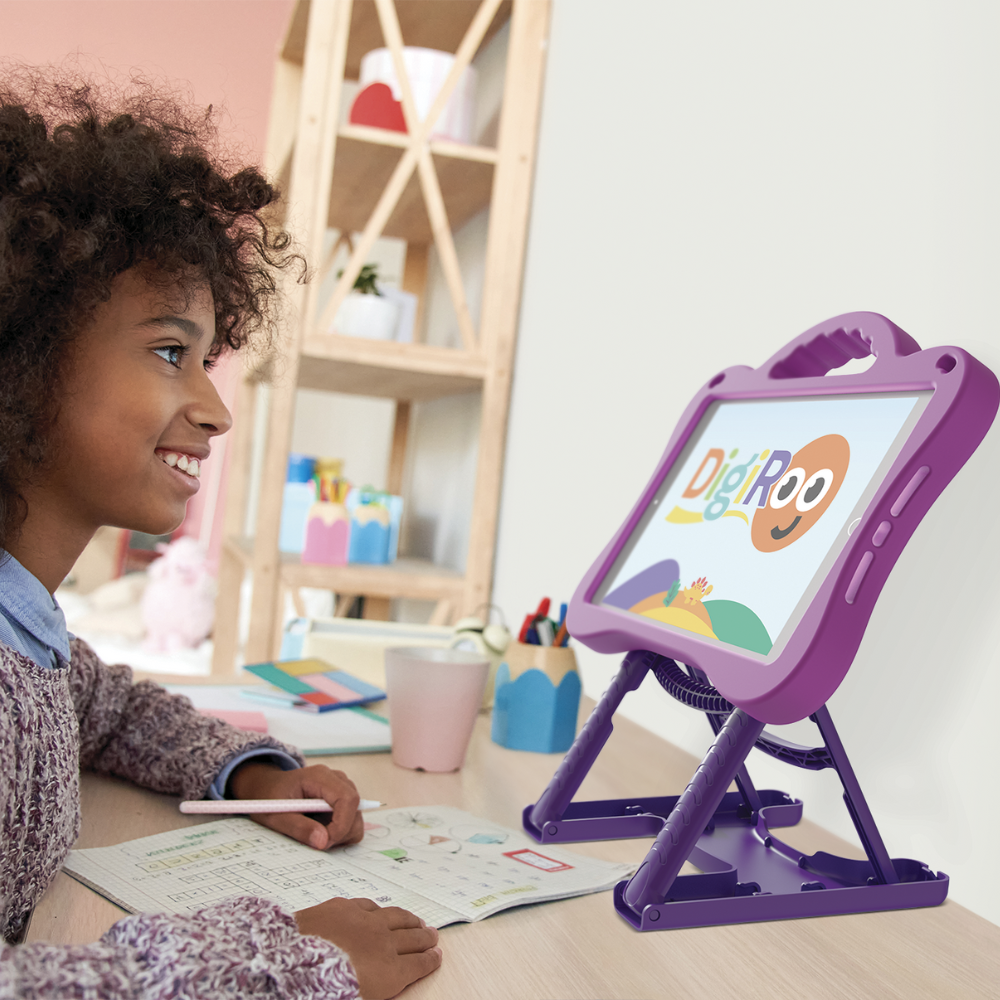
One of the main causes of tech neck is low screen positioning.
An adjustable kids iPad case helps solve this by:
- Elevating the screen to eye level
- Supporting upright posture
- Reducing the need to look down
- Creating a more consistent setup
This allows kids to use their devices in a way that supports their body, not works against it.